




Help > Connecting your Computer to your TV
Connecting your Computer to your TV
Connecting your PC (either desktop computer, Mac, or Laptop) to your TV has become an extremely popular requirement, especially with the growth of video streaming by companies such as NetFlixTM which now allow customers to download or stream video directly to one's PC. Connecting your PC to a TV can be a very simple and straight forward task if your TV has the appropriate input connection.
Many newer PCs (desktops, laptops, and Mac's) have state-of-the-art video outputs - including DVI-D, HDMI, and now "DisplayPort" (DP).
The below chart will help determine which cable - or converter box - will be suitable for this task. Our solutions are offers from "best image quality to worst". The solutions are strictly dependant on the video output port that your computer has, and the video input port that your TV has. Don't forget the audio!
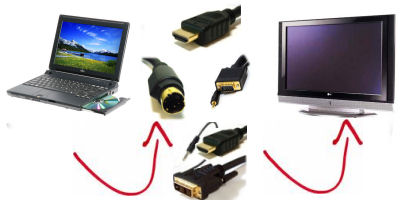
Click the LINK or IMAGE of product on RIGHT to view suggested product. We offer the following possible solutions. To determine which solution will work for your application, you will need to determine the video output port of your computer, and the available video inputs of your television.
 Computer (Desktop/Laptop)SourceVideo OUPUT Port
 |
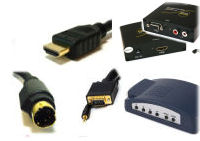 Possible ConnectivityTechnology to Use
 |
 Television (LCD,
Plasma, or CRT)Video DestinationVideo INPUT Port
Television (LCD,
Plasma, or CRT)Video DestinationVideo INPUT Port |
| HDMI to HDMI: Best Possible Quality 1080p (Video and Audio) | ||
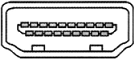 HDMI PortCheck to make sure your computer's HDMI port
ALSO outputs audio. If not, you MAY need to also use an
optional
AUDIO CABLE
HDMI PortCheck to make sure your computer's HDMI port
ALSO outputs audio. If not, you MAY need to also use an
optional
AUDIO CABLE |
HDMI Cables
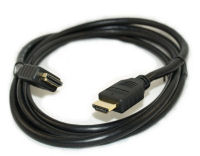 |
HDMI PortCheck to make sure your computer's HDMI port
ALSO outputs audio. If not, you MAY need to also use an
optional
AUDIO CABLE |
| DVI-D to HDMI: Best Possible Quality 1080p (Video Only) | ||
 DVI-D Port
As DVI technology is VIDEO ONLY
technology, the AUDIO from your PC will need to also be
connected.
DVI-D Port
As DVI technology is VIDEO ONLY
technology, the AUDIO from your PC will need to also be
connected. |
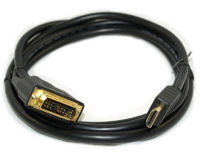
HDMI to DVI-D Cable
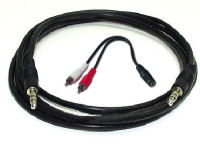
 3.5mm Audio Cable and Adapters
 |
HDMI PortAlthough HDMI accepts both AUDIO and VIDEO
input, because the DVI SOURCE connection only outputs video, you
will also need a seperate audio cable.
|
| DVI-D to DVI-D: Best Possible Quality 1080p (Video Only) | ||
|
DVI-D Port
As DVI technology is VIDEO ONLY
technology, the
AUDIO from your PC will need to also be connected. |
DVI-D to DVI-D Cable
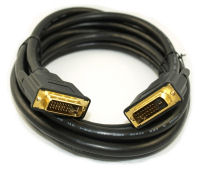 As DVI technology is VIDEO ONLY
technology, the AUDIO from your PC will need to also be
connected:
3.5mm Audio Cable and Adapters
As DVI technology is VIDEO ONLY
technology, the AUDIO from your PC will need to also be
connected:
3.5mm Audio Cable and Adapters
|
DVI-D Port
As DVI technology is VIDEO ONLY
technology, the
AUDIO from your PC will need to also be connected.
|
| Display Port (DP) to HDMI: Best Possible Quality 1080p (Video Only) | ||
 Display Port
Check to make sure your computer's Display Port ALSO outputs
audio. If not, you MAY need to also use an optional
AUDIO CABLE
Display Port
Check to make sure your computer's Display Port ALSO outputs
audio. If not, you MAY need to also use an optional
AUDIO CABLE
|
Display Port to HDMI Adapter
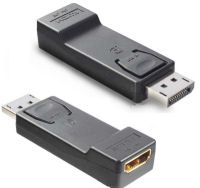 A standard HDMI cable will also be needed to be connected to
the above adapter
HDMI Cable
A standard HDMI cable will also be needed to be connected to
the above adapter
HDMI Cable
|
HDMI Port
Check to make sure your computer's Display Port ALSO outputs
audio. If not, you MAY need to also use an optional
AUDIO CABLE
|
| Mini-Display Port (DP) to HDMI: Best Possible Quality 1080p (Video Only) | ||
 Mini Display Port (DP)
Check to make sure your computer's Mini-Display Port ALSO
outputs audio. If not, you MAY need to also use an
optional
AUDIO CABLE
Mini Display Port (DP)
Check to make sure your computer's Mini-Display Port ALSO
outputs audio. If not, you MAY need to also use an
optional
AUDIO CABLE |
Mini Display Port to HDMI Adapter
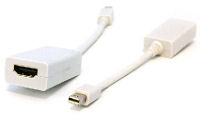 A standard HDMI cable will also be needed to be connected to the
above adapter
HDMI Cable
As DVI technology is VIDEO ONLY
technology, the AUDIO from your PC will need to also be
connected:
3.5mm Audio Cable and Adapters
A standard HDMI cable will also be needed to be connected to the
above adapter
HDMI Cable
As DVI technology is VIDEO ONLY
technology, the AUDIO from your PC will need to also be
connected:
3.5mm Audio Cable and Adapters
|
HDMI Port
Check to make sure your computer's Mini-Display Port ALSO
outputs audio. If not, you MAY need to also use an
optional
AUDIO CABLE |
| Mini-Display Port (DP) to DVI: Best Possible Quality 1080p (Video Only) | ||
|
Mini Display Port (DP)
Check to make sure your computer's Mini-Display Port ALSO
outputs audio. If not, you MAY need to also use an
optional
AUDIO CABLE |
Mini Display Port to DVI Adapter
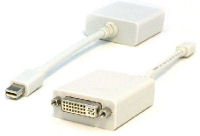 A standard DVI-D cable will also be needed to be connected to
the above adapter
DVI Cable
A standard DVI-D cable will also be needed to be connected to
the above adapter
DVI Cable
|
DVI-D Port |
| Mini-Display Port (DP) to VGA: Very Good Quality up to 1024i (Video Only) | ||
|
Mini Display Port (DP)
Check to make sure your computer's Mini-Display Port ALSO
outputs audio. If not, you MAY need to also use an
optional
AUDIO CABLE |
Mini Display Port to VGA Adapter
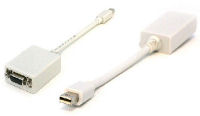 As VGA technology is VIDEO ONLY
technology, the AUDIO from your PC will need to also be
connected:
3.5mm Audio Cable and Adapters
As VGA technology is VIDEO ONLY
technology, the AUDIO from your PC will need to also be
connected:
3.5mm Audio Cable and Adapters
|
 VGA Port
Check to make sure your computer's Mini-Display Port ALSO
outputs audio. If not, you MAY need to also use an
optional
AUDIO CABLE
VGA Port
Check to make sure your computer's Mini-Display Port ALSO
outputs audio. If not, you MAY need to also use an
optional
AUDIO CABLE |
| VGA Port to VGA: Very Good Quality up to 1024i (Video Only) | ||
|
VGA Port
As VGA technology is VIDEO ONLY
technology, the
AUDIO from your PC will need to also be connected. |
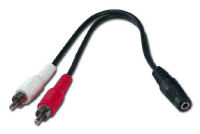
VGA with 3.5mm Audio Combo Cable
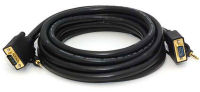 Above cable is a VGA and 3.5mm Audio Combo Cable. A 3.5mm
to RCA Adapter MAY also be needed at the TV end of the
connection:
3.5mm to 2 RCA Adapter
Above cable is a VGA and 3.5mm Audio Combo Cable. A 3.5mm
to RCA Adapter MAY also be needed at the TV end of the
connection:
3.5mm to 2 RCA Adapter
 |
VGA Port
As VGA technology is VIDEO ONLY
technology, the
AUDIO from your PC will need to also be connected. |
| VGA Port to HDMI Port via CONVERTER: Very Good Quality up to 1024i (Video Only) | ||
|
VGA Port
As VGA technology is VIDEO ONLY
technology, the
AUDIO from your PC will need to also be connected. |
VGA to HDMI Converter
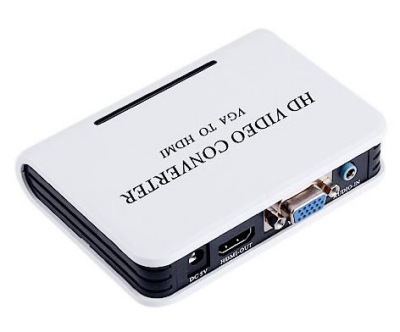 Cables not included with the above
converter. The below 2 cables will need to also be
purchased:
VGA with 3.5mm Audio Combo Cable
Standard HDMI Cable
As DVI technology is VIDEO ONLY
technology, the AUDIO from your PC will need to also be
connected:
3.5mm Audio Cable and Adapters
Cables not included with the above
converter. The below 2 cables will need to also be
purchased:
VGA with 3.5mm Audio Combo Cable
Standard HDMI Cable
As DVI technology is VIDEO ONLY
technology, the AUDIO from your PC will need to also be
connected:
3.5mm Audio Cable and Adapters
|
HDMI Port |
| VGA Port to DVI-D Port via CONVERTER: Very Good Quality up to 1024i (Video Only) | ||
|
VGA Port
As VGA technology is VIDEO ONLY
technology, the
AUDIO from your PC will need to also be connected. |
VGA to HDMI Converter
Cables not included with the above
converter. The below 2 cables will need to also be
purchased:
VGA with 3.5mm Audio Combo Cable
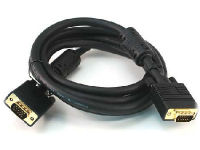 HDMI/DVI Combo Cable
As DVI technology is VIDEO ONLY
technology, the AUDIO from your PC will need to also be
connected directly to the TV from your PC:
3.5mm Audio Cable and Adapters
HDMI/DVI Combo Cable
As DVI technology is VIDEO ONLY
technology, the AUDIO from your PC will need to also be
connected directly to the TV from your PC:
3.5mm Audio Cable and Adapters
|
DVI-D Port
As DVI-D technology is VIDEO ONLY
technology, the
AUDIO from your PC will need to also be connected.
Tech Note: As the video will be going
through a converter, and the audio run directly from your PC to
the TV, the resulting audio and video MAY be slightly "out of
sync" |
| VGA Port to Composite or S-Video: Average Quality 320i Max (Video Only) | ||
|
VGA Port
As VGA technology is VIDEO ONLY
technology, the
AUDIO from your PC will need to also be connected. |
VGA to Composite or S-Video Converter
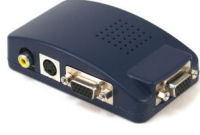 As VGA technology is VIDEO ONLY
technology, the AUDIO from your PC will need to also be
connected directly to the TV from your PC:
3.5mm Audio Cable and Adapters
As VGA technology is VIDEO ONLY
technology, the AUDIO from your PC will need to also be
connected directly to the TV from your PC:
3.5mm Audio Cable and Adapters
|
RCA Composite Video
 orS-Video
 |