






Help > HDMI Cables: Which One for Me?
HDMI Cables: Which One for Me?
Different solutions require different types of HDMI cables depending on the specific feature (or speed rating) you require for your application.
Read up on 4K TV and some gotchya's with HDCP 2.2 and different varients of 4K technology.
HDMI 2.1: Next Generation
In 2018, HDMI LLC released NEW specifications for the HDMI version 2.1 standards. This new specification provides for the following additional functionality:
- Higher resolutions (such as 8K) and faster refresh rates (some resolutions may require display stream compression, DSC, to achieve required data rates beyond 48Gbps):
- 4k50/60
- 4k100/120
- 5k50/60
- 5k100/120
- 8k50/60
- 8k100/120
- 10k50/60
- 10k100/120
- Dynamic HDR - Ensures every moment of video is displayed at its ideal value for depth, detail , brightness, contrast, and color gamut on a scene-by-scene or even frame-by-frame basis.
- eARC - It's an advancement over previous ARC technology for greater ease in connectivity, component discovery and audio optimization. It supports the latest high-bitrate audio formats up to 194kHz @ 24-bit, uncompressed 5.1, 7.1 and 32 channel uncompressed audio. Also supports DTS-HD Master Audio, DTS:X, Dolby TrueHD and Dolby Atmos.
- Enhance gaming and media features:
- Variable Refresh Rate (VRR) - reduce or entirely eliminates lag, stutter and frame tearing for more fluid and detailed gameplay.
- Auto Low Latency Mode (ALLM) - automatically sets ideal latency for smooth and lag-free uninterrupted viewing and interactivity.
- Quick Media Switching (QMS) - eliminates the delay that can result in blank screens before content is displayed.
- Quick Frame Transport (QFT) - reduces latency for smoother no-lag gaming and real time interactive virtual reality.
HDMI 2.1: Do I Need New Cables?
Best answer right now is it depends, HDMI 2.1 uses the same physical layout and the same connectors as existing HDMI premium high speed cables. With the exception of eARC, most of the other new features can be implemented on existing devices with existing cables. However, if you want to take advantage of the new resolutions you will need to upgrade your cables. As a side note, cables are not tied to a specific version of HDMI, there is no HDMI 2.1 cable per say, rather cables are put through a certification process that certifies them for maximum bandwidth. All of My Cable Mart cables go through these certification processes to assure that our customers receive the very best cables at affordable prices. My Cable Mart has released our NEW line of copper HDMI cables that will support 8K. They can be found here.
Can existing equipment be upgraded to HDMI 2.1?
Again, unfortunately the answer is it depends. HDMI 2.1 requires more advanced processors on the display so it is unlikely that a firmware update would allow higher resolutions and refresh rates. But, some of the additional features require very little bandwidth and may be upgraded with firmware to implement them on existing devices. eARC specifically has had manufacturers announce plans to support it on existing receivers and some have already received firmware updates to support eARC right now.
When can we expect more HDMI 2.1 devices?
Unfortunately the HDMI group is still sorting out details of their certification program, eARC is the first certification and began back in August 2018. New devices are rolling out but there are not many commercially available source devices with HDMI 2.1 certification but My Cable Mart expects 2020 to big a big year for HDMI 2.1 and we will carry fully certified 48Gbps cables that support HDMI 2.1 when those certification paths become available!
HDMI 2.0
In 2013, HDMI LLC released specifications for the HDMI version 2.0 standards. This specification provides for the following additional functionality:
- Increased bandwidth to 18Gbps for HDMI Cables designated, and passing ATC testing as a "High Speed HDMI Cable"
- 4K@50/60 Cycles (2160P), which is 4 times the clarity of previous 1080P/60 cycle resolution
- Up to 32 audio channels for true multi-dimensional immersive audio experience
- Up to 1536kHz audio sample frequency support
- Simultaneous delivery of multi-stream audio to multiple users (up to 4)
- Support for wide angle theatrical 21:9 video aspect ratio
- Dynamic synchronization of video and audio streams
- CEC (signal coding) extensions
HDMI 2.0: Do I Need New Cables? Do I Need HDMI 2.0?
Most HDMI cables that passed testing certification for v1.4 specifications will be suitable for MOST 4K UHD TV, with one possible exception - support for 4K@60Hz. Support at 60Hz requires that the cable meet or exceed 18Gbps. As version 1.4 cables were only TESTED to meet 10.2Gbps, it is possible that certion v1.4 cables will NOT have the ability to reach the required 18Gbps bandwidth required for such support.
All of My Cable Mart's existing HDMI v1.4 cable inventory - including inventory sold 2011 through to 2014 (and beyond) sold as a HIGH SPEED HDMI cable to the version 1.4 specifications meet the new HDMI 2.0 specifications. Some cables however, may not meet the required 18Gbps and thus will NOT be able to display content at 60Hz.
Do I need "Ethernet HDMI"?
For most home theatre and computer applications, the answer is "no". A small number of advanced 3D Blu-ray players and Home Theatre receivers support for HDMI v1.4 (aka "HDMI with Ethernet" or "HEC"), but today, this feature might be considered generally useless.
Do I need "Audio Return Channel" or "ARC"?
ARC was an added feature to the version 1.4 standard. A typical use for ARC allowed for the audio produced by a TV (attached using an off-air antena, for example) to be fed back to a receiver for in-bound processing. The newer eARC has a much better implementation.
What is CL-2 and CL-3?
CL-2 is an abbreviation for "Class 2" as it refers to the wiring code in the USA. Many states require low voltage cables to be "CL-2" rated in order for them to be installed inside the wall. A CL-2 rated cable has a slightly different outer insulation with a different fire rating. A CL-2 rated cable can also be used outside the wall. Class 3 is a rating for cables over 300 volts. As HDMI cables only have 5 volts, a 5 volt HDMI Class-2 cable actually meets Class-3 specifications - but will still be called and labeled a CLASS 2 cable.
What is AWG?
AWG is an abbreviation for American Wire Gauge. The SMALLER the number, the thicker the copper wire. A 22 AWG HDMI cable is almost twice as thick as a 24 AWG. A copper wire's thickness for a longer length HDMI cable helps reduce the resistance. Longer HDMI cables tend to be made from thicker copper wire. Other factors - such as a silver tinned coating on copper wire add to a cables conductivity.
What is the difference between a DIRECT HDMI connection and a MULTI-SEGMENT HDMI? How does this affect my cable selection?
A multi-segment HDMI cable connection uses MORE than one HDMI cable to connect from the original SOURCE equipment (such as a Blu-Ray Player) and a TV. Intermediate equipment - such as an A/V receiver, HDMI Switch, or HDMI Splitter may be placed in-between the source equipment and TV. When you use more than one HDMI cable to ultimately connect from the source equipment to the TV, a significant amount of added electrical resistence as added to the circuit compared to a "direct HDMI connection". A direct HDMI connection would use a single HDMI cable connected to the SOURCE equipment and be attached directly to the end TV.
Let's look at the following two examples:
Multi-Segment HDMI and Direct HDMI Connections
Example Set-up


DIRECT HDMI Connection
Cable Considerations
- To the left is an example of a DIRECT HDMI connection. A Blu-Ray Player is connected to a TV using a SINGLE HDMI cable.
- There are a total of TWO connecting points made - one at the Blu-Ray Player, the other at the TV
- A less expensive 28AWG (gauge) HDMI cable up to 12 feet can be used successfully to obtain a HIGH SPEED connection.
- Beyond a 12ft total length, a thicker gauge HDMI cable rated as HIGH SPEED should be used if the SOURCE device is known to require HIGH SPEEDs.

Multi-Segment HDMI Connection
- To the left is an example of a MULTI-SEGMENT HDMI connection. A Blu-Ray Player is connected to a TV with a receiver in-between.
- There are a total of FOUR connectings points made - one at the Blu-Ray Player, another at the INPUT HDMI connector on the receiver, another at the OUTPUT HDMI connector on the receiver, and finally one at the TV
- A THICKER GAUGE HDMI cable (26 or 24AWG) is recommended for BOTH segments in this circuit. The 4 connecting points are already adding a significant amount of resistence along the copper wires. By using a THICKER (or higher grade) HDMI cable, the signal strength degradation can be minimized.
Why is a CERTIFIED HDMI Cable important?
Only about half the vendors (store-fronts and websites) sell truly CERTIFIED HDMI cables. CERTIFIED means that cables have been tested by Silicon Images and HDMI LLC, and they meet or exceed testing specifications set out by a specific test version (such as 1.3B or 1.4A). ALL our HDMI cables, and HDMI related products are certified. We refuse to purchase cables or products that are not. Ask your store if they can produce the actual HDMI certification document. All our HDMI cables have this document available on-line or by request. Yes, there are CHEAPER HDMI cables for sale. Certification and an ISO quality process ensure you are getting a top quality product from My Cable Mart at a reasonable price. Don't be fooled by $1.00 cables on E-Bay!
Read up on our HDMI FAQ to help explain why you should buy OUR HDMI cables, instead of our competitors.
Your Equipment & Application
Short Distance Solutions (1.5 to 15 Feet)
Cable, Satellite Box, Blu-ray, or PC Direct to HDTV
- 720, 1080i, or 1080p Support Desired
- Box attached directly to TV (not channeled thru Receiver)
- 3D Support (Not Required)
- 1.5 to 15ft Maximum Length Needed
HDMI Cable Recommendation
General Duty HDMI Cables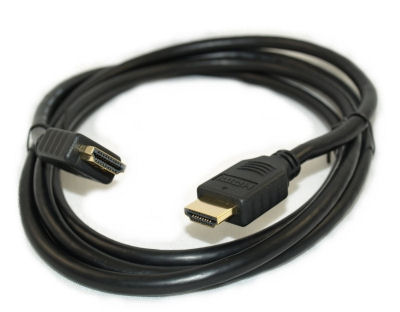
While ALL of these cables can support HIGH SPEED data, only STANDARD SPEED is actually required for this application. All Blu-ray players supported (except for 3D)
3D Blu-ray Direct to HDTV or Ultra HDTV
- 720, 1080i, 1080p, or 4K Support Desired
- Box attached directly to TV (not channeled thru Receiver)
- 3D or 4K Support Desired
- 1.5 to 15ft Maximum Length Needed

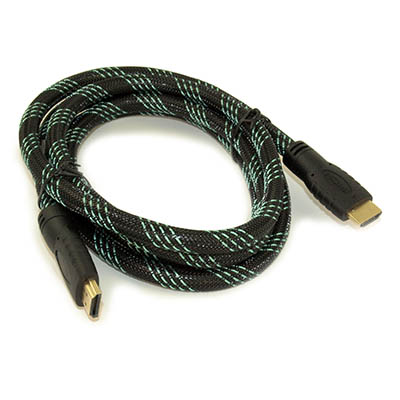
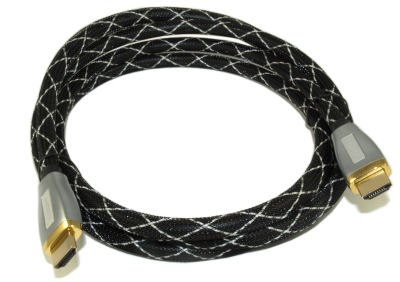
While most Blu-ray players will work fine with standard 28AWG cables (see above), 3D BluRay players require the BEST possible signal at 10.2Gbps (and possibly beyond).
Any Source Video to A/V Receiver then to HDTV, or use of a SPLITTER or SWITCH
- 720, 1080i, or 1080p Support Desired
- 7Source equipment channeled first through Home Theatre Receiver, then to HDTV (Multi-segment)
- 73D Support Required
- 1.5 to 15ft Maximum Length Needed

Channeling source video equipment (such as any Blu-ray player, cable box, or satellite box) first through your Home Theatre Receiver, and then to your HDTV is considered a "multi-segmented" HDMI circuit with a total of FOUR HDMI connection points. We strongly recommend either of these upgraded HDMI cables for such installation.
20 - 50ft Solutions
Cable, Satellite Box, Blu-ray, or PC Direct to HDTV
- 720, 1080i, or 1080p Support Desired
- Box attached directly to TV (not channeled thru Receiver)
- 3D or 4Kx2K Support (Not Required)
- 20-50ft Maximum Length Needed
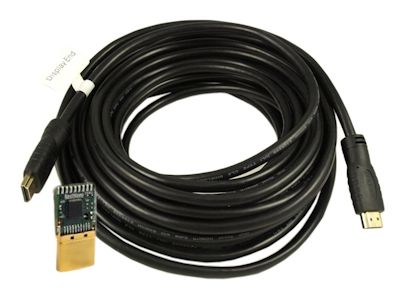
While many of these cables can support HIGH SPEED data, only STANDARD SPEED is actually required for this application. All Blu-ray players supported (except for 3D) to 1080P. 3D Satellite and Cable Box supports. See below for 3D Blu-ray players (which require a HIGH SPEED solution)