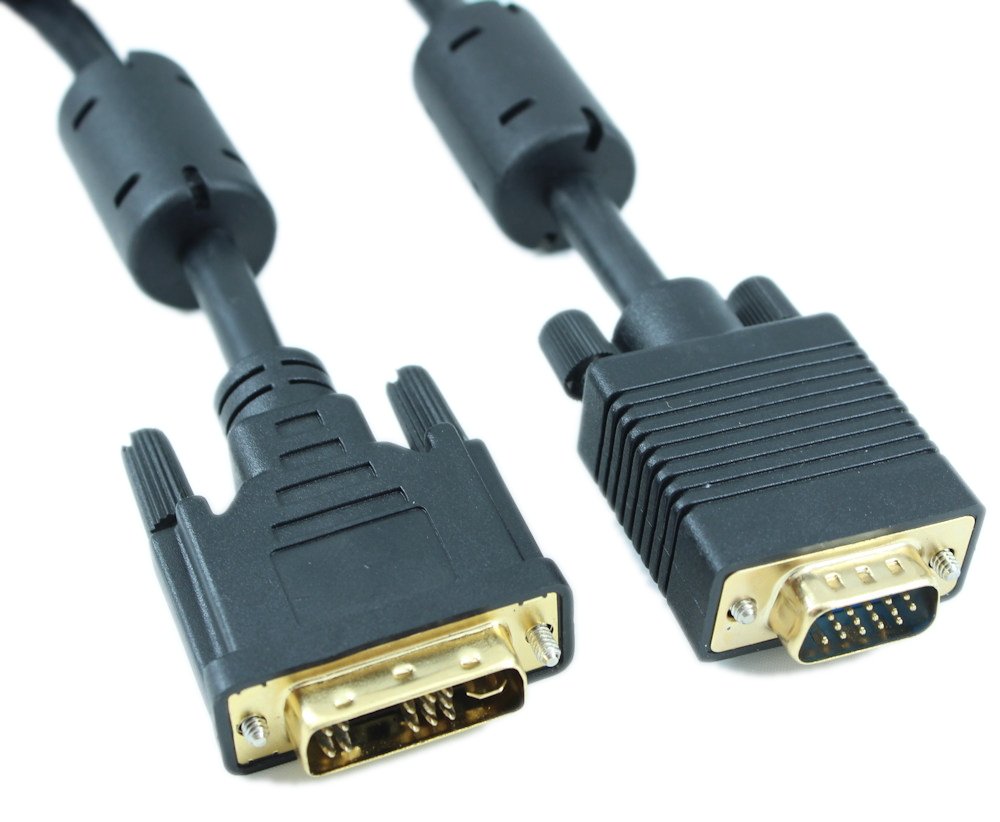
Digital Visual Interface (DVI) is the standard interface for a high-performance connection between PCs and flat panel displays, digital CRT displays, projectors, and HDTV. The DVI-A Analog Cable delivers the high-performance, high-bandwidth interface needed for video displays of today while leaving headroom for the products of tomorrow. These precision-engineered cables are fully compliant with the DVI standard defined by DDWG (Digital Display Working Group). - Connector Type: DVI-A male to DVI-A male (Analog ONLY)
- Signal Type: Analog
- Length: 3ft
- Gauge/AWG: 28AWG
- Pin Configuration 12 + 4 + blade
- Shielding level: Triple
- Shielding type: EMI
- Ferrite Cores: No
- RGB bandwidth: 400 MHz at -3 dB
This cable is suitable for ONLY DVI-A (Analog) connections.
General DVI FAQ
The DVI connector usually contains pins to pass the DVI-native digital video signals. In the case of dual-link systems, additional pins are provided for the second set of data signals.
As well as digital signals, the DVI-I connector includes pins providing the same analog signals found on a VGA connector, allowing a VGA monitor to be connected with a simple plug adapter. This feature was included in order to make DVI universal, as it allows either type of monitor (analog or digital) to be operated from the same connector.
The DVI connector on a device is therefore given one of three names, depending on which signals it implements:
- DVI-D (digital only - This is the standard that this cable uses)
- DVI-A (analog only, compatible with VGA/analog video, very rarely used any more)
- DVI-I (integrated, both digital & analog with analog signals compatible with VGA)
NOTE: This product is a LOW VOLTAGE product never to exceed 1,000 volts, and is fitted with connectors that can be suitable for telecommunications
|